Wednesday, October 9, 2019

Audio/Video Podcast: Pros and Cons for Adult Learners

ThoughtWorks Podcast
Image 1. Podcasts

As an educator, should you integrate podcasts into the curriculum? Yes! As one form of technology integration, podcasts can be a useful tool in any curriculum. 

I'll start by sharing my personal experience with podcasts: The first thing I think of when I hear the word podcast is "NPR", or National Public Radio. I grew up listening to NPR with my dad and still listen to NPR news every morning. My father would download the podcasts onto his MP3 player and play them in the car through an adapter for our cassette player on our morning commute to school and work. For me, podcasts bring good memories of discussion and debate. 

Well, podcasts can be used in classrooms for discussion and debate as well!  A podcast, defined by Chung (2008), is "a medium that services a collection of audio or video files that people freely subscribe to via the Internet" (p. 1). Audio files can be listened to on a variety of devices, but a video podcast would typically be viewed on a computer, phone, or tablet with a screen. 

Podcasts have come a long way. Now, you can find a podcast on anything and everything. Khan Academy is one of the most famous podcast websites, with a mission to offer free educational videos. It started off as one person tutoring his family member and has expanded to cover a huge variety of material for all ages. If you haven't visited their site yet, I highly recommend it!

As Dr. Fowler highlighted in our interview last week, podcasts are great for adult students because they fit with their life. Taylor, McGrath-Champ, & Clarkeburn (2012) recommend podcasts as a form of preparing for class. Students can review the podcast independently and then come together to discuss their findings and relate it back to the course material. 

Let's review some of the Pros and Cons of podcasts in education:

Image 2. Pros
PROS
  •  Students can integrate audio podcasts into their daily routines and activities. 
  • There's a podcast about everything! Podcasts offer a variety of perspectives on topics in education by experts in the field.
  • Students can review the podcast as many times as they need to understand the content.
  • Independent task to prepare students for course lecture. 

Image 3. Cons
CONS
  • Video podcasts require dedicated time and focus. 
  • Podcasts require students to have the ability to record (webcam, smart phone, microphone)
  • If podcasts are too long, students could lose interest.
  • Podcasts are not typically interactive - students can leave comments on the place where they are posted, but the original user cannot edit their content to interact with the comments/feedback. 
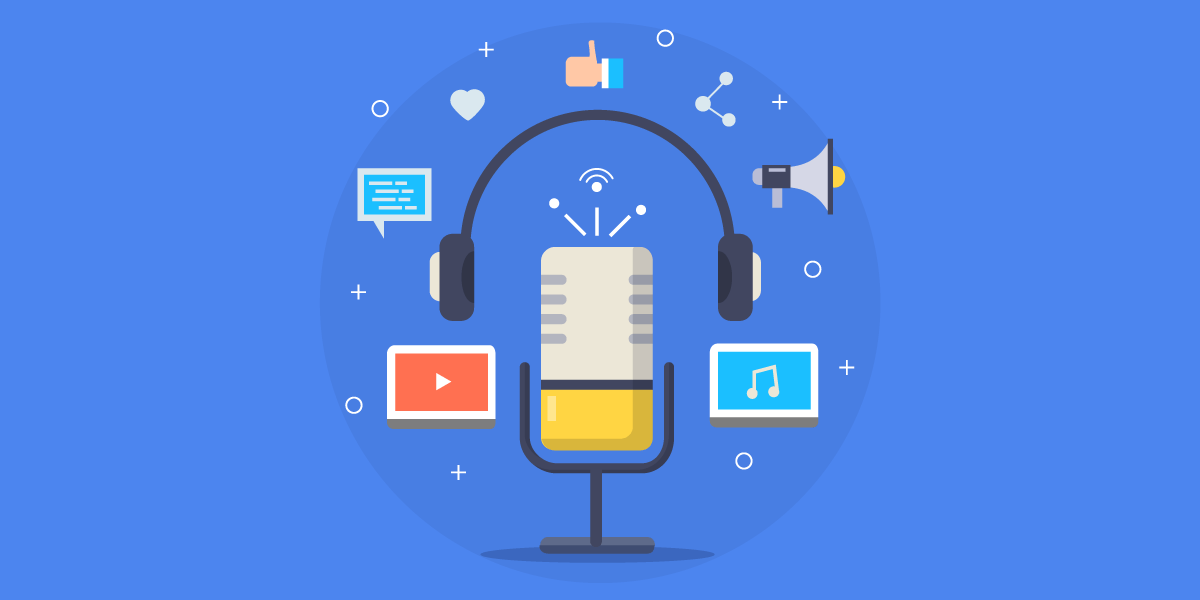

Subir-un-podcasts
Image 4. Podcast Cartoon

For those looking for new ways to integrate technology into their classroom: Start by looking for TEDxTalk videos and podcasts. A quick search on the material you are teaching and you will most likely find a video that corresponds! I was introduced to TED Conferences in 2009 by my brilliant English professor who promoted social change. Over the last ten years, I would estimate that I have viewed approximately 30-40 different ones, and I plan to use them in any future courses I teach.  

TED Talks that I have used in classes and work (click the name to open video in new window):


I'd love to hear your ideas on how to integrate podcasts into curriculum!


References

Chung, M., & Kansas State University, degree granting institution. (2008). Podcast use motivations and patterns among college students.

King, K. & Cox, T. (2011). The professor’s guide to taming technology. Charlotte, NC: Information Age Publishing.

Taylor, L., McGrath-Champ, S., & Clarkeburn, H. (2012). Supporting student self-study: The educational design of podcasts in a collaborative learning context. Active Learning in Higher Education, 13(1), 77–90. https://doi.org/10.1177/1469787411429186


Image References

Image 1. https://www.thoughtworks.com/podcasts

Images 2 and 3. https://www.rebelcircus.com/blog/pros-cons-open-relationship/

Image 4. https://vilmanunez.com/subir-podcast-itunes-y-otros/

Tuesday, October 1, 2019

Interview with an Adult Educator

Good evening!

This week I had the incredible opportunity to interview Dr. Fowler, the Associate Director of the Center for Academic Advising and Student Support at NMSU. We discussed her experience educating adult learners in an online program and the art of integrating podcasts and other forms of technology into her curriculum. We had a great conversation (originally 20 minutes long), so the audio file has been edited to be more succinct and include the key points (9 minutes long).

Some of the key points we covered are:
  • The importance of knowing your students' current technological skills and being flexible with the syllabus and curriculum.
  • How she incorporated her experience in the film industry into her classes.
  • Ensuring all students have access to the technology you are requiring - if they don't have access, don't use it.
  • Providing technological tools that can fit with the busy lives of adults (podcast while they are commuting, making dinner, etc.).
  • Several examples of ways that she has used podcasts in her courses. 

The edited interview audio is available at this link:
https://k-state.instructure.com/courses/82935/discussion_topics/518939

Please note: you will need to log in with your institution credentials to review the interview.

Tuesday, September 24, 2019

Wiki Lesson Plan: Time Management Skills

LessonPlan-01-Intro-03-www_MarekBennett_com
Image 1. Lesson Plan Cartoon


Introduction to lesson plan: I will be honest, this assignment freaked me out and is challenging me in a whole new way. I am definitely not a teacher yet, and I have no prior experience with lesson plans or curriculum development. With that in mind, I wanted to teach something I am familiar with and feel comfortable sharing with others. 
Time management skills!

Background: I teach my advisees time management and how to determine the best use of their time so that they can succeed in their classes AND social aspects of their life. Learning how to manage their time improves students' problem solving abilities (Misra & McKean, 2000). This skill is applicable to anyone who balances several roles in their life, and I believe adult students could benefit from this lesson the most.


Purpose of Wiki:  For my lesson plan, the group wiki pages will be used as group summary pages (West & West, 2009). Each group researches the benefits and challenges of time management and then produces a page to summarize their findings. The wiki page gauges student understanding and can help an instructor identify confusion or missed points in the course. The wiki is a collaboration tool that allows several students to edit in the same space. 


Communication Expectations:  "Process management is the primary responsibility of each student group" (West & West, 2009). In other words, instructors are not responsible for ensuring student groups are on track or completing the process correctly. Instructors are there to help step in when groups are not communicating or are having difficulty understanding the assignment requirements. As Dr. K does in our class, instructors should step back and allow students to work through the project without micromanaging the behavior. In the long run, the instructor can view who contributed to the page and will obtain student feedback from the project survey. 


Evaluation of Wiki Project:  It is beneficial to ask students to participate in a discussion as the project is coming to an end. Students need the opportunity to reflect on the experience, think about the whole process, and bring up any issues they feel are outstanding (West & West, 2009). This can be completed through a group discussion thread or a synchronous video chat.


Image 2. Evaluation Cartoon

Evaluation of Lesson Plan:  
What is the best way to obtain valid feedback on a lesson plan? As educators, how do we know if our lesson actually worked? Do we ask our students "well, what did you think?" after the project is over?  I recommend an anonymous survey submitted to the instructor after the class is over and grades have been posted. This ensures that students are not scared of retaliation from answers and they will be more willing to be honest. Instructors can review the feedback and make any changes necessary (or redo the lesson plan) for the next semester or class offering. 


To summarize: A wiki group project on time management skills can be integrated into classroom curriculum to increase technology use and encourage student collaboration. The tool is more beneficial than a blog or discussion board because multiple students can compile their research and develop a singular summary to present to the class. 


I welcome feedback for my first lesson plan attempt! :)


- Anaka


References
Bennett, M. (2014, November 4). How to Draw Up a Lesson Plan. Retrieved from             https://marekbennett.com/2014/11/04/how-to-draw-up-a-lesson-plan/

Misra, R., & McKean, M. (2000). College students' academic stress and its relation to their anxiety, time management, and leisure satisfaction. American Journal of Health Studies, 16(1), 41-51. Retrieved from http://libezp.nmsu.edu:2048/login? url=https://search.proquest.com/docview/210480531?accountid=12810

West, J. and West, M. (2009). Using Wikis for online collaboration: The power of the read-write Web.  San Francisco, CA: Jossey-Bass.  ISBN: 9780470343333

Woodward, N. (2012). Sample Rubric. Retrieved from        http://nwoodwardelearning.weebly.com/sample-rubric.html


Image References
Image 1. https://marekbennett.com/2014/11/04/how-to-draw-up-a-lesson-plan/

Image 2. https://www.theeducator.com/blog/6-steps-for-preparing-a-lesson-plan/

Monday, September 16, 2019

Wikis: Pros and Cons for Adult Learners

teaching with Wikis
Image 1. Wiki

As an educator, should you use wiki pages for group collaboration and projects? There are many online tools and technology options that educators can choose to use in their curriculum. Wikis can be a valuable collaboration tool, however there are some drawbacks to . This post will evaluate the pros and cons of a wiki page in adult education classes. 

First of all, what exactly is a "wiki" and how do you make one? Stetson-Tiligadas (2016) defined a wiki as "a blank user-defined web space that can display a variety of media, such as text, graphics, web links, and links to audio or video" (p. 134). In other words, it's a web page that users can make their own and incorporate other forms of technology and web resources. 

Web users can create a wiki on several different websites, however some require payment or a subscription to be able to post. Dan Price (2019) evaluated seven different wiki-making websites and provided a brief summary of the benefits and drawbacks of each. 

For educational purposes, learning management systems such as Canvas and BlackBoard have the option to create new wiki pages in a classroom. They can be limited to the group members or open to the whole class. Another advantage of using Canvas wikis is that there is a "sandbox" page where students can test out different features before applying them to their actual wiki page. 

Image 2. Pros
PROS
  • Flexible learning space for adults who may be less familiar with technology (Stetson-Tiligadas, 2016). 
  • Students can contribute to the wiki when convenient. 
  • "Divide and conquer" option for working adults. 
  • Improves writing and communication skills that are appealing to employers. Adult learners prefer wiki-based collaboration (Sharp & Whaley, 2018).
  • Students can learn from each other by "brainstorming on a higher level" (Sharp & Whaley, 2018, p. 88). 

Image 3. Cons
CONS
  • Increased amount of time spent on the wiki than with paper-based writing (Stetson-Tiligadas, 2016). 
  • Wikis are not discussion friendly - students need to respond to the material on a separate board.
  • Adult learners can find the editing process on a wiki to be complicated. Initially draft information in a word or google document and then transfer the information once it is compiled (Stetson-Tiligadas, 2016). 
  • Adult students consider group work a challenge because their grade relies on their peers' skills and effort (Sharp & Whaley, 2018).


Image result for wiki
Image 4. Wiki Word Cloud
Is a wiki more of a presentation tool than a collaboration tool? Yes and no. To start, students may use the wiki as a presentation tool and will use other tools to collaborate (email, GoogleDocs, Word, etc.). Students will become more familiar with the wiki formatting and editing as they continue to use the tool. As with every new piece of technology, it takes time to build skills and abilities. For example, this week, writing my blog took less time because I am more comfortable with the tool than I was last week. Same thing goes with wikis. I have completed 5 courses in my graduate program and 4 of those used wiki pages for a group project. I know how to embed videos and I am teaching myself how to code "tabs" into the page. Once students use wiki pages more often, then they will use them as presentation and collaboration tools!


To summarize: Yes, educators should be using wikis in their curriculum! Wikis should not be the only source of collaboration due to the lack of discussion, but they can absolutely be a great resource to present information to peers. For adult learners, the format of a wiki can be daunting at first but there are many resources out there that explain how to use the tool. 
The amount of time spent on the wiki will decrease as students become familiar with the formatting and learn new tips and tricks for the page. To combat the concern of fair grading, instructors should ask students to submit an evaluation of themselves and their group members at the end of every project. Overall, the benefits of using a wiki page as a collaboration tool outweigh the drawbacks. 


References

Camacho, M. E., Carrión, M. D., Chayah, M., & Campos, J. M. (2016). The use of wiki to promote students’ learning in higher education (Degree in Pharmacy). International Journal of Educational Technology in Higher Education, 13(1). doi: 10.1186/s41239-016-0025-y

Price, D. (2019, March 11). How to Create a Wiki: 7 Sites That Make It Easy and Painless. Retrieved from https://www.makeuseof.com/tag/4-sites-create-wikipedialike-website/

Sharp, L. A., & Whaley, B. (2018). Wikis as Online Collaborative Learning Experiences: “A Different Kind of Brainstorming.” Adult Learning, 29(3), 83–93. https://doi.org/10.1177/1045159518761095

Stetson-Tiligadas, S. M. (2016). Building up to collaboration: Evidence on using wikis to scaffold academic writing. Journal of Academic Writing, 6(1), 134–144. doi: 10.18552/joaw.v6i1.288

Wesch, M. (2013). From Knowledgeable to Knowledge-able. In Cohen D. & Scheinfeldt T. (Eds.), Hacking the Academy: New Approaches to Scholarship and Teaching from Digital Humanities (pp. 69-77). Ann Arbor: University of Michigan Press. Retrieved from http://www.jstor.org/stable/j.ctv65swj3.18

Witney, D., & Smallbone, T. (2011). Wiki work: can using wikis enhance student collaboration for group assignment tasks? Innovations in Education & Teaching International, 48(1), 101–110. https://doi-org.er.lib.k-state.edu/10.1080/14703297.2010.543765


Image References

Image 1. https://educationaltechnology.net/wikis-in-education/

Images 2 and 3. https://www.rebelcircus.com/blog/pros-cons-open-relationship/

Image 4. https://sites.psu.edu/mponza/2019/03/02/wikis-communities-collaborating-to-create/

Tuesday, September 10, 2019

Blogging: Pros and Cons for Adult Learners

Image 1. Technology Cloud

As an educator, should you use discussion boards or blogs for classroom discussion? 
As with any form of technology, there are good times to use blogs, but there are also good times to use discussion boards instead. This blog post will evaluate the pros and cons of a blog, as well as identify differences between a discussion board and a blog. 

Online courses include asynchronous conversation to imitate the natural discussion found in the classroom. Brown (2009) found that students spend approximately one hour to respond to discussion posts, and less than two hours on their initial post. When comparing this to the traditional classroom, it is about the same amount of time they would spend in discussion in class. 

Instructors build discussion boards within the online learning management system (such as BlackBoard, Canvas, D2L, etc.) and require students to correspond as part of their participation grade (Brown, 2009). Blogging can be used as an alternative communication method and is typically less formal than a discussion board. 


FAQ sign. Question icon. Help symbol. on green background. illus
Image 2. What's the Difference?

DISCUSSION BOARDS
  • "School Talk" is found in discussion board threads (Clarke & Kinne, 2012). These conversations are initially a call and response between instructor and student, and then other students respond to the student. Furthering the conversation, the student who wrote the initial post responds to the responses by other students. 
  • With this format, students are expected to engage with students who respond to their initial post. 
  • Discussion board posts and responses focus on academic topic (Clarke & Kinne, 2012). Students discuss the class content more than personal experience in discussion boards.

BLOGS
  • "Podium Talk" is the main format of blogs (Clarke & Kinne, 2012). The initial blog post accepts comments, however the student who wrote the initial blog does not typically respond to all comments on the blog. Instead, each comment could be a separate anecdote from the readers and may not flow as a conversation.
  • Students are less likely to continue the conversation after their initial post or response. The responses are commonly reactions and additions rather than questions. 
  • Blogs are more socially focused- personal experiences are more common. Responses to the blog post include candid perspectives and individual anecdotes that connect the learners and their real-life experiences (Brauer, 2012). 


Image 3. Pros
PROS
  • Blog posts and responses "developed a strong sense of community amongst each other" (Brauer, 2012). This can be credited to the more social feel of blogs and the personal anecdotes and real-life experience presented. 
  • This style of writing feels more natural to students with experience using blogs and other technology.
  • Ability to incorporate media and redesign the format to be more student-friendly (Joyner, 2012). Blogs can include images, videos, and charts for visual appeal. 

Image 4. Cons
CONS
  • "Less back and forth conversation" when compared to discussion boards (Clarke & Kinne, 2012, p. 7).
  • Open to all readers, not a password protected system. All information is public information. This also means strangers and people not paying for the course can be a part of the conversation. 
  • Can be too casual for academic purposes. More difficult to grade as students can respond and interact anonymously or under a different username. For participation tracking purposes, a discussion board is more convenient. 


To summarize: Blogs can be used in curriculum when instructors are looking for a fresh communication approach. Discussion boards are the standard format of online classroom discussion and should still be utilized when information is sensitive or strictly academic. Blogs can help the students feel socially connected, but present an issue when considering privacy of posts. Both discussion boards and blogs have their place in education and can improve student interaction in online classes. 


References

Brauer, J (2012). “Blogging vs Threaded Discussions in Online Courses.” Connected Principles. Sharing. Learning. Leading. Retrieved from http://connectedprincipals.com/archives/6431

Brown, A. (2009). Time Students Spend Reading Threaded Discussions in Online Graduate Courses Requiring Asynchronous Participation. International Review of Research in Open and Distance Learning, 10(6), 14.

Clarke, L. W., & Kinne, L. (2012). More Than Words: Investigating the Format of Asynchronous Discussions as Threaded Discussions or Blogs. Journal of Digital Learning in Teacher Education, 29(1), 4–13. https://doi.org/10.1080/21532974.2012.10784698

Joyner, F. (2012). Increasing student interaction and the development of critical thinking in asynchronous threaded discussions. Journal of Teaching and Learning with Technology,1(1), 35-41.


Image References

Image 1. https://blog.hubspot.com/marketing/business-blogging-in-2015

Image 2. https://help.olivetree.com/hc/en-us/articles/213709006-What-s-the-difference-between-a-Concordance-and-a-Cross-Reference-

Images 3 and 4. https://www.rebelcircus.com/blog/pros-cons-open-relationship/